
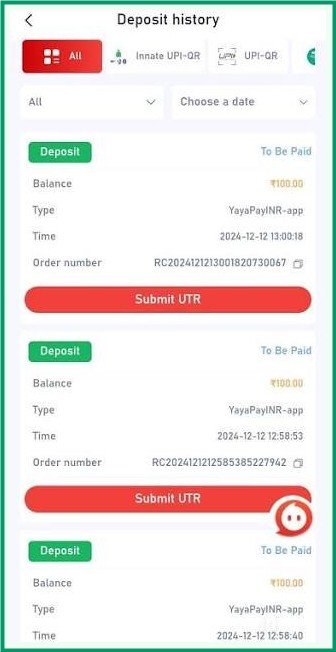
Step-by-Step UPI-QR Deposit & UTR Submission
Adding funds inside Raja Game starts from ₹100.00 using either Innate UPI-QR or standard UPI-QR. Follow this clean checklist so every transaction credits without delay:
- Open your Raja Game wallet and select Deposit, then pick ₹100 or your preferred amount.
- Scan or pay via PhonePe, Google Pay, or Paytm and note the 12-digit UTR number from your UPI receipt.
- Return to Deposit History, find your matching order number (e.g.,
RC2024...), and tap Submit UTR. - Enter the exact 12 digits and confirm—your wallet balance updates once payment matching completes.